|
|
Since I'm in a hurry to post on my other blogs at the moment, I'm going to rush through this post. Anyway, let's begin.
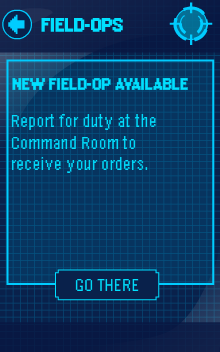
When you login to Club Penguin, your WPF Phone should be blinking with a red light. Click the phone. After you click the phone, a screen like the one below should popup. Click the 'Go There' button.
Now walk over to the EPF board to the right of the screen and when the message comes up, click the 'Accept' button.
After you accept your mission, go to the Dock and walk to the room in the bottom right of the screen. After you walk in there, go to the room on the right side of the screen again.
You should now be in a room which has a lot of trees. Walk over to the specified area as shown in the picture below and then the field ops should start.
Well, that's the only post for now!
Hey everyone!
Today when I logged into Club Penguin, my EPF Spy Phone was blinking with a blue light. I clicked the phone and a message from Gary came up. Here is a picture of the message I received:
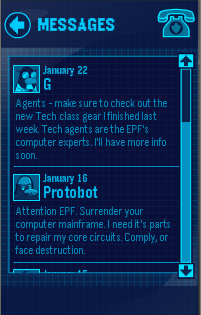
He basically tells us that there is a new EPF Class. The new EPF Class is the Tech Class. To view the available items in this class, click on your EPF Phone and click the selection that is in the top left of the phone. After that, look to the left and click on the "Tech" option.
Well, that's the only post for now!
Hey everyone.
Today when I logged into Club Penguin, my EPF Spy Phone was blinking with a blue light. So, I clicked the phone and a message from Protobot came up. Here is an image of the message I receieved:

Hmm... I'm guessing Protobot is going to strike Club Penguin again if we don't surrender our computer mainframe. Well, I guess we will just have to wait and see what happens! ;)
Hello penguins!
Today, when I logged into Club penguin, my EPF Spy Phone was flashing with a blue light, so I clicked it. When I clicked the phone, it came up with a message from the Director. Here is what the message I received looked like:
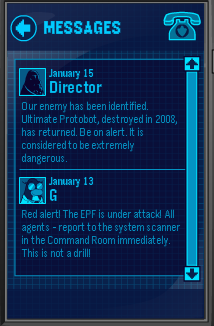
It basically tells you who the robot is in the game System Defender and that he is dangerous, so be on alert.
Anyway, that's all the updates for now!
Hello penguins!
Just recently, the newest Club Penguin game, System Defender, was released! When all you EPF Agents login to Club Penguin today, your EPF Spy Phone should be blinking with a blue light. Click the phone.

When you click the phone, a message from G should appear. Read the message and report to the EPF Headquaters.

After you get to the EPF Headquaters, you should be able to clearly see that the screen on the left of the game is actually the new game. Click on the screen to play the new game.

In my opinion, this is the most fun Club Penguin game throughout the whole virtual world.
Anyway, that's all for this post!
Hello everyone!
Today, Club Penguin updated the newspaper so that there is now a secret message from the Director in the news!
To view the secret message, open up the newspaper and click the "Read more" button on the front page.

Now, put your mouse over the letters that say "EPF." The corect one to click is in the picture below.

After you hold your mouse over the letters for a few seconds, the message should then start to appear. When it appears, it should look like this:

It says that Agent G is working on a new communication system, that sounds cool. The updates for that should be here by January 10.
What do you think the new communication system will be like? Be sure to comment all of your theories! :D
|
|